Sim Commander 4.5
Background
About Sim Commander 4.5
Licensing Changes
It really doesn't get any easier than this. When you purchase, there is no email to wait on, no license code to type in and no license code to find each time you rebuild a PC or get a new PC, etc.. Your login serves as your license.
How To Upgrade
Update to Sim Commander 4.3 using the standard in-app update mechanism at the bottom of the Sim Commander main screen by clicking the update notification.

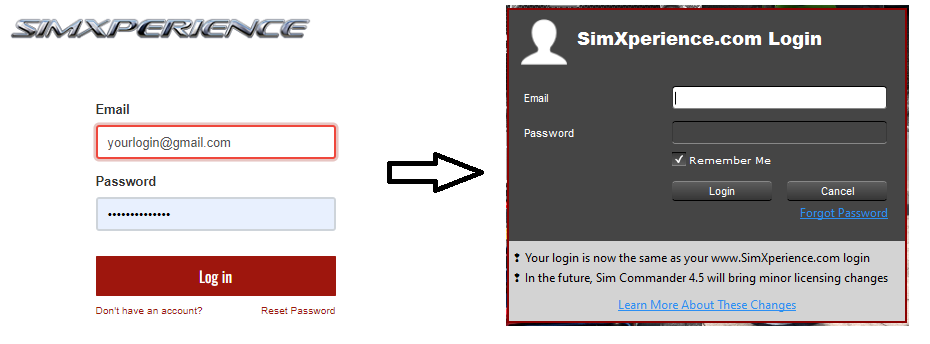
Login to Sim Commander 4.3 using your www.SimXperience.com website credentials and use the same email address that you used when you purchased from us or had a license transferred to you.
Notes:
If you forgot your password, you can click the 'Forgot Password' link in Sim Commander, or the 'Reset Password' link from this website's login page. Here is a direct link: https://www.simxperience.com/web/reset_password
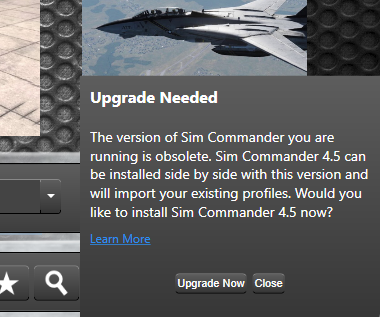
If you don't yet have an account on www.SimXperience.com but have had a license transferred to you in the past, please create an account using the same email address that the license was transferred to. Here is a direct link: https://www.simxperience.com/web/signupIf your www.SimXperience.com account has an appropriate purchase or license transfer associated with it, you will be presented the option to upgrade in the bottom-right of the Sim Commander 4.3 main screen. Simply click the 'Upgrade Now' button.
Side by Side Operation
About License Mismatches
You Obtained Your License From a 3rd Party Who Didn't Officially Transfer It To You
You Don't Have a Legally Obtained Copy Of Sim Commander
You Have An Older Simulator or Motion Kit
You Have Multiple Logins With Different Email Addresses
Licensing Options
Continue Using Sim Commander 4.3
Contact Us
Help Us Develop Sim Commander 4.5
Troubleshooting Logins
- Logins no longer use a username. They use your email address and password. This email address is the one you entered when ordering from us.
- Logins are case-sensitive. This includes both the email address and password. Be sure to enter the same capitalization you used when creating your account either on this website or on our old website.
- It's possible to have created duplicate accounts on our website using the same email address. If you login to your account and don't see an order, you might have multiple accounts. If you believe that's the case, please contact our customer support team here and let us know: Help Desk