G-Belt Driver Installation
G-Belt Driver Installation
SimXperience distributes drivers via Microsoft Windows Updates. When you connect the USB cable for a SimXperience device, Windows should automatically install our driver for you and no further effort is required on your part.
However, there is one known scenario in which this automated process does not occur:
Automatic Driver Installation Is Disabled On Your Windows 10 PC
Click the Windows Start Button
Type 'Change Device Installation Settings' into the Start Menu Search Bar
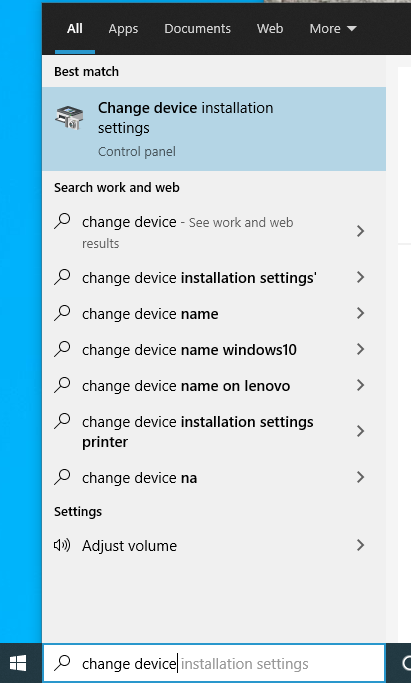
Click to Launch the Change Device Installation Settings app from the Start Menu
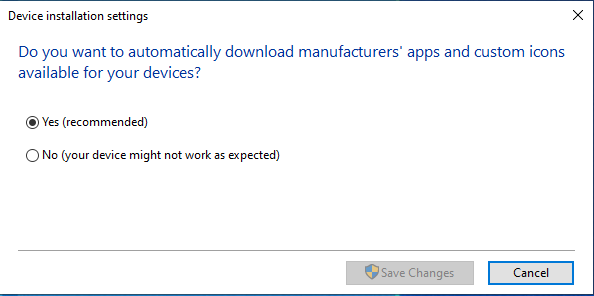
Select 'Yes' if not already selected and 'Save Changes'
Everything you need to know about getting the G-Belt drivers installed for the first time.